
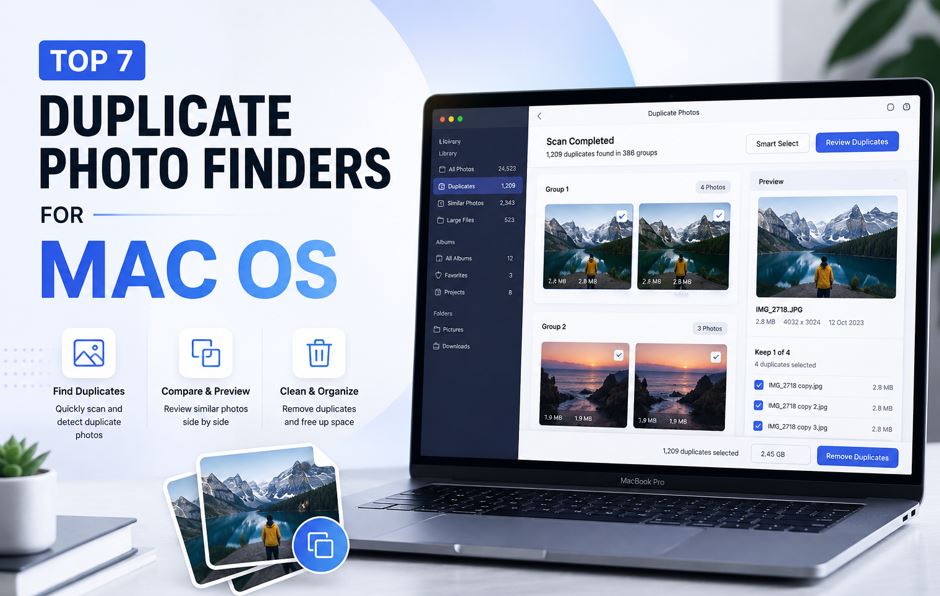
Mac photo libraries get messy faster than we expect. A few imports, some edits, backups, and suddenly you are dealing with thousands of duplicate and visually similar images.
The real issue is not just exact duplicates, but often visually similar photos. Photo libraries often get drowned in burst shots, resized images, and filtered versions. These quietly take up space and make your library harder to manage. While Apple Photos can detect some duplicates, its capabilities are quite limited. It does not scan your entire system and does not properly handle similar images.
This is where a duplicate photo finder for Mac becomes essential. The right tool helps you scan, review, and remove duplicates quickly without risking important files.
1. PictureEcho
PictureEcho is one of the most accurate duplicate photo finders for Mac, especially when it comes to visually similar images. Instead of relying only on file names or sizes, it analyzes image content. This makes it much more effective for detecting edited or near-identical photos.
On macOS you can run a System Scan on folders you choose — Downloads, Desktop, imports, or an external drive — or open Library Scan when you want duplicates inside a detected Photos Library, Adobe Lightroom Classic, or Adobe Lightroom CC. Similar mode is the everyday choice for bursts, crops, filters, and resized exports. Exact mode is there when you only want copies the app treats as exact matches. In Similar mode, the Similarity Threshold runs from 1 (Strict) to 13 (Broad); the in-app default is 9 (Recommended). Higher values find more groups and can pull in weaker matches.

Results open as groups with thumbnails, file size, and date so you can compare before you remove anything. You can keep one photo by hand, use Select All But One, or apply a keep rule such as Oldest, Newest, Largest, Highest Resolution, or Lowest Resolution. On a folder scan, extras can go to the Trash, to a folder you choose with Move, or to permanent Delete. For a Photos library scan, PictureEcho does not delete library files in Finder — use Fix Duplicates, which adds the selected photos to an album named Duplicates by PictureEcho, then delete those photos inside the Photos app.
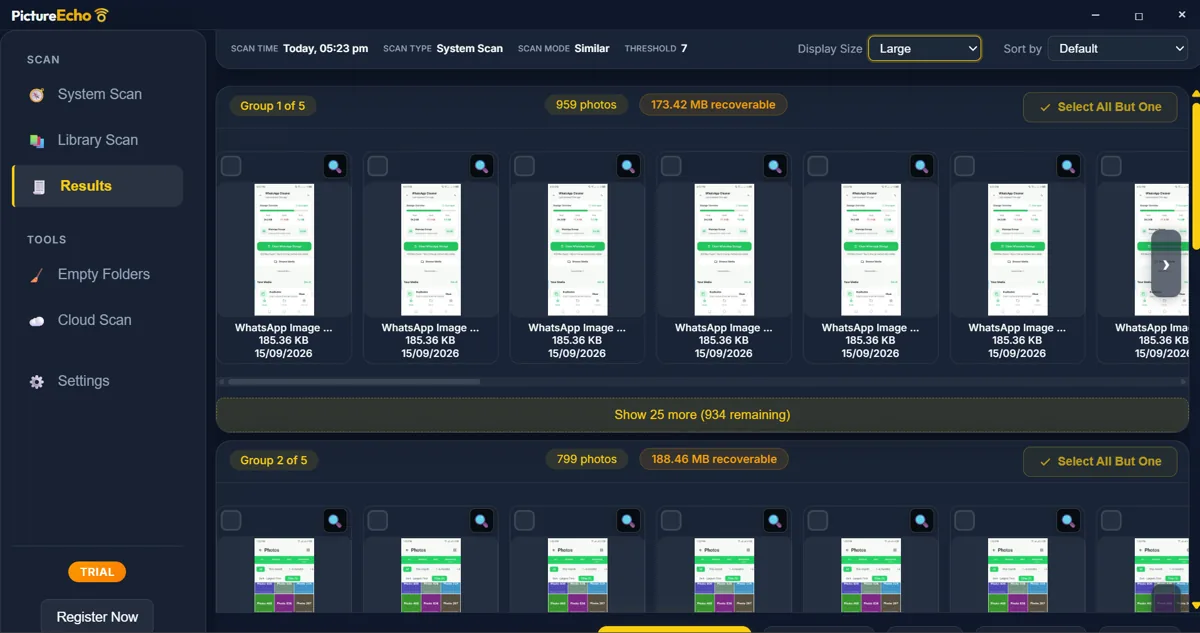
The trial cleans 10 groups, not 10 photos. Formats include common photo types such as JPEG, PNG, HEIC, TIFF, and many camera RAW files. Video is not part of this scan.
Key Features:
- Detects exact duplicates and visually similar photos
- Adjustable similarity threshold (1–13, default 9)
- Scans system folders, external drives, and photo libraries (Photos, Lightroom)
- Clean grouped results with preview
- Smart auto-selection / keep rules
- Mac Photos cleanup via Fix Duplicates (delete inside Photos)
Pros:
- High accuracy for similar images
- Fast scanning performance
- Easy-to-review results
- Clear folder vs Photos-library cleanup paths
Cons:
- Full features require premium
- Trial limited to 10 groups
2a. Tonfotos
Tonfotos is a modern application for Mac, Windows, and Linux designed for cataloging photo archives, finding duplicates, and recognizing faces. The program helps free up disk space and organize photos stored on a Mac, external hard drives, and NAS devices.
Key Features:
- Support for distributed storage
- AI helps recognize faces and identify locations.
- Synchronization via TonfotosSync.
Pros:
- Indexes files on the local disk, external drives, and NAS into a single archive without physically moving
them. - Accurate visual duplicate search and no mandatory paid subscriptions.
A high level of privacy.
Cons:
- The free version has a limit on the number of recognizable people.
- Photos with significant cropping or pronounced editing/filters are not considered strict duplicates.
2b. Gemini 2
Gemini 2 is a well-known Mac cleaner with a strong focus on simplicity. It is ideal for users who want a quick and easy way to remove duplicate photos without dealing with too many settings.
Key Features:
- Detects duplicates and similar files
- Smart auto-selection
- Clean interface
Pros:
- Beginner-friendly
- Fast setup
- Smooth experience
Cons:
- Limited advanced controls
- Not ideal for complex libraries
3. Duplicate File Finder by Nektony
This tool by Nektony is more than just a duplicate photo finder Mac users can rely on. It handles multiple file types including videos and documents.
Key Features:
- Finds duplicate and similar files
- Works across internal and external drives
- Folder comparison tools
Pros:
- Multi-purpose tool
- Reliable performance
- Good for full system cleanup
Cons:
- No deep similarity customization
- Slight learning curve
4. PhotoSweeper
PhotoSweeper is designed with photographers in mind. It offers more control over how images are compared.
Key Features:
- Detects edited and similar photos
- Adjustable matching level
- Works with Lightroom and Photos
Pros:
- Great for professionals
- Flexible comparison modes
- Strong detection
Cons:
- Can feel complex
- Slower on large libraries
5. Cisdem Duplicate Finder
Cisdem offers a balanced mix of usability and features, making it a solid Mac duplicate photo finder option.
Key Features:
- Supports multiple file types
- Finds similar and duplicate images
- Scan exclusions
Pros:
- Clean interface
- Good format support
- Decent performance
Cons:
- Slower scans
- Limited free version
6. Duplicate Photos Fixer Pro
This tool focuses specifically on photo cleanup and includes additional detection methods.
Key Features:
- Detects duplicates and similar photos
- Time and geo-based detection
- RAW support
Pros:
- Good for basic use
- Multi-platform support
Cons:
- Outdated interface
- Fewer smart features
7. PowerPhotos
PowerPhotos is ideal if you mainly use Apple Photos and want better control over your libraries.
Key Features:
- Works with Photos libraries
- Helps merge and organize libraries
- Basic duplicate detection
Pros:
- Great for Photos app users
- Useful for library management
Cons:
- Limited duplicate detection
- Not suitable for full system scans
Quick Comparison: Best Duplicate Photo Finders for Mac
| Tool | Best For | Similar Photo Detection | Free Version | Key Strength |
| PictureEcho | Accuracy + speed | Yes | Trial | Visual grouping + similarity control |
| Tonfotos | Sorting family photo archives, clearing duplicate files off your disk, and backing up photos from smartphones | Yes ( Yes (based on precise visual content analysis). | Trial: Yes (with a limit on the number of people). | Wireless backup via TonfotosSync and convenient cataloging with local AI. |
| Gemini 2 | Beginners | Yes | Trial | Simple UI |
| Duplicate File Finder (Nektony) | All file types | Yes | Yes | Multi-file cleanup |
| PhotoSweeper | Photographers | Yes | Trial | Advanced comparison modes |
| Cisdem Duplicate Finder | General use | Yes | Trial | Multi-format support |
| Duplicate Photos Fixer Pro | Basic cleanup | Yes | No | Time & geo detection |
| PowerPhotos | Apple Photos users | Limited | Trial | Library management |
How to Choose the Best Duplicate Photo Finder for Mac
Choosing the right tool depends on your needs. Keep these things in mind:
- If you want accuracy and similar photo detection, go for tools with visual analysis
- For full storage cleanup, choose a tool that scans drives and folders
- In case of simple use, pick beginner-friendly tools
- For professional workflows, look for Lightroom or Photos integration
Final Thoughts
Duplicate photos are easy to ignore but difficult to manage over time. They take up space, slow down organization, and make it harder to find your best shots. Using a reliable duplicate photo finder for Mac makes this process simple. You can scan, review, and clean your library in minutes instead of hours.
If your focus is speed, accuracy, and a clean visual experience, tools like PictureEcho make the entire process much easier and more controlled.