
X search gets precise when the operators stack, and messy when you type them by hand. TwitterXSearch builds that query on your Android phone, shows you the line, and opens the search. It does not log in, and it does not keep its own feed of posts.
Pick the filters, then read the query
Quick filters cover images, videos, links, verified accounts, replies, a recent date, and a like floor. Images and Links together become one line, such as images or links. The preview updates from the form. You do not type the operators into that box. Copy and Clear sit on the query.
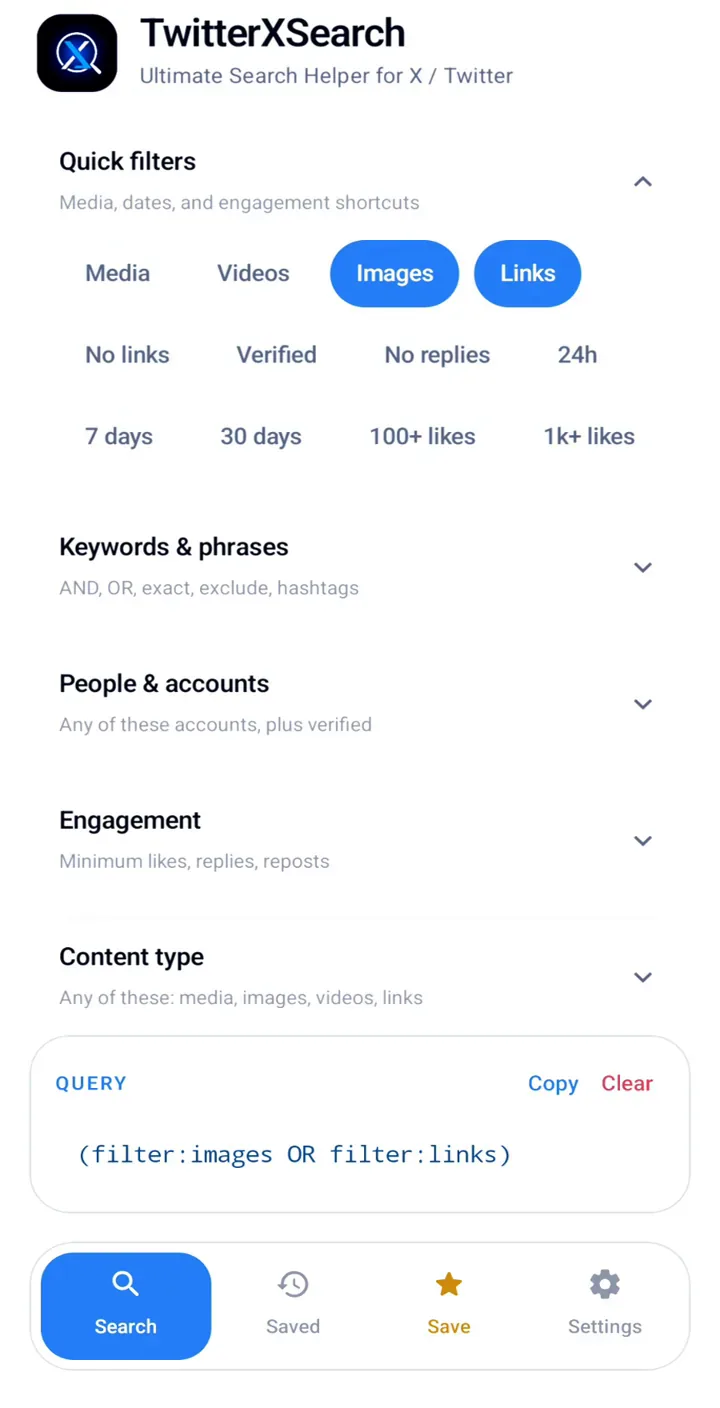
Search tries to open that query as Latest. It asks the X app first, then the browser if the app will not take the link. A fallback can land on Top instead, so the app tries the web link first. It does not promise the X app every time.
Narrow it by words, people, and time
Keywords cover all of these words, an exact phrase, any of these words, words to leave out, and hashtags. People covers posts from an account, to an account, mentioning someone, or quoting someone. Engagement sets a minimum for likes, reposts, or replies.
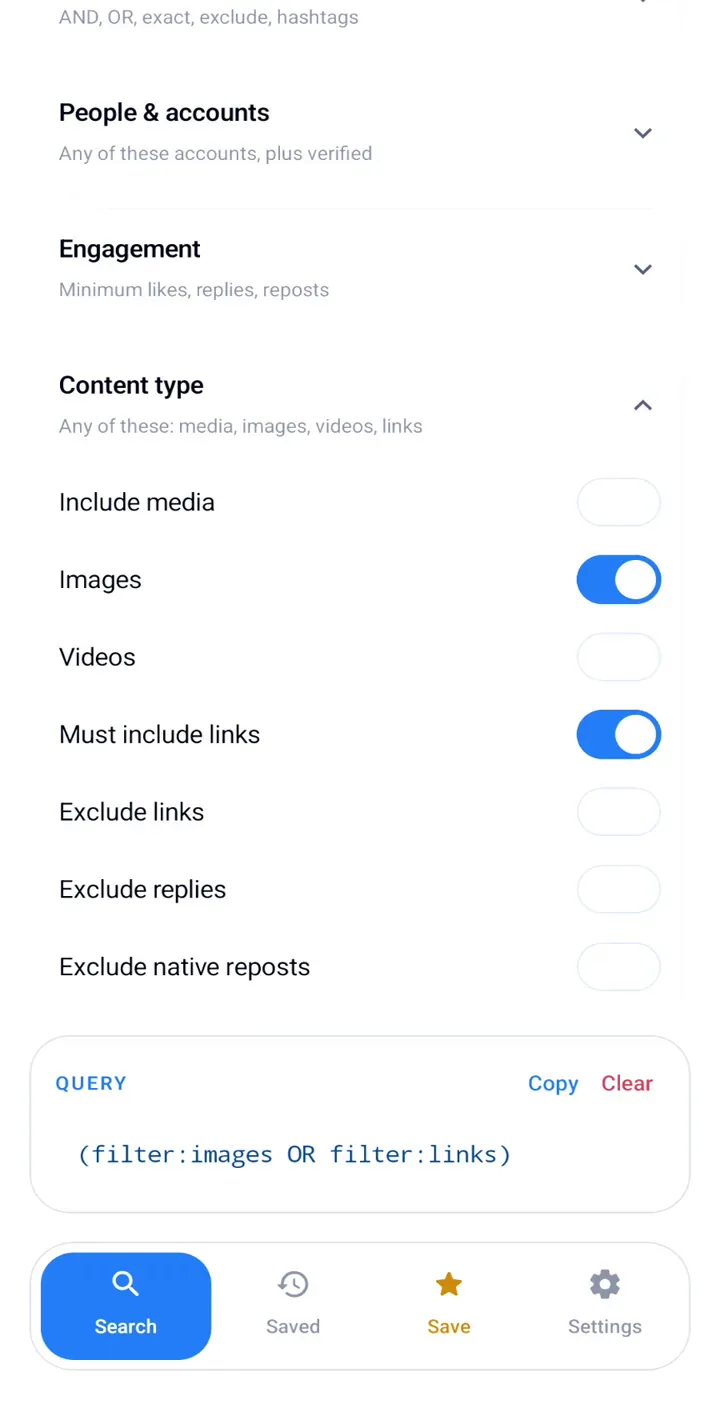
Dates can be a since day, an until day, today, or a chip for 24 hours, 7 days, or 30 days. Those chips use a calendar date on the phone, not a rolling clock. You can also limit the language. Share a profile or a post into the app and From fills with that account. Other shared text is added to all of these words.
Keep the searches you run
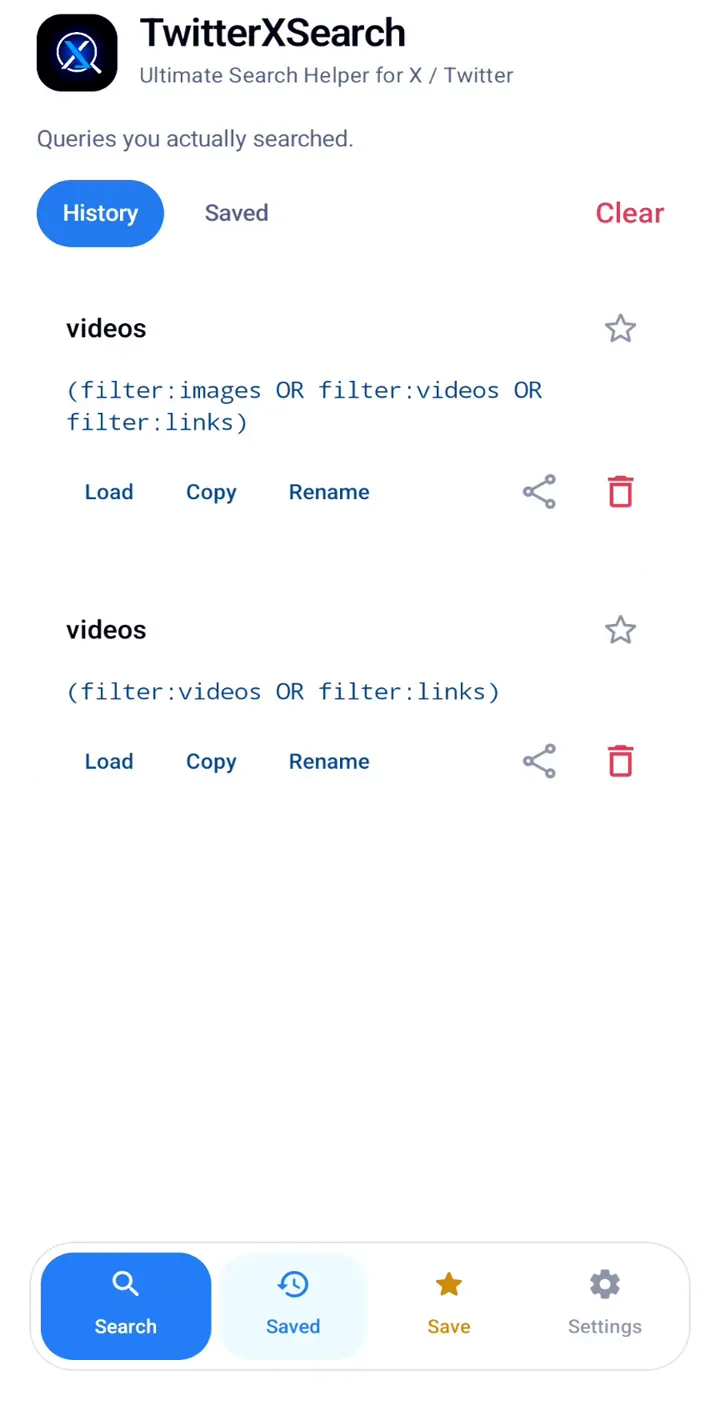
A search you run stays on the phone as history. Save pins the current query so you can load it later, even if you have not run it yet. Each card can load, copy, rename, share, or delete. Clearing history leaves your pins. Clearing saved leaves the history.
TwitterXSearch needs Android 8 or newer. This build is version 2.0, and ads can show. It does not delete posts, likes, or bookmarks. That cleanup is a different app.