
A burst, a resized export, and the original can all look like the photo you meant to keep. You choose which duplicate photo to keep by grouping the similar copies in the folders you scan, then leaving one in each group. PictureEcho does that on your PC, so you can review the matches, pick a keeper, and send the extras to the Recycle Bin.
When the copies are not the same picture
The filename rarely says which file matters. One may be the camera original, another a smaller export, and a third the version edited last week. What helps is seeing them as a group, each picture beside the others, with the size and date still under the thumbnail.
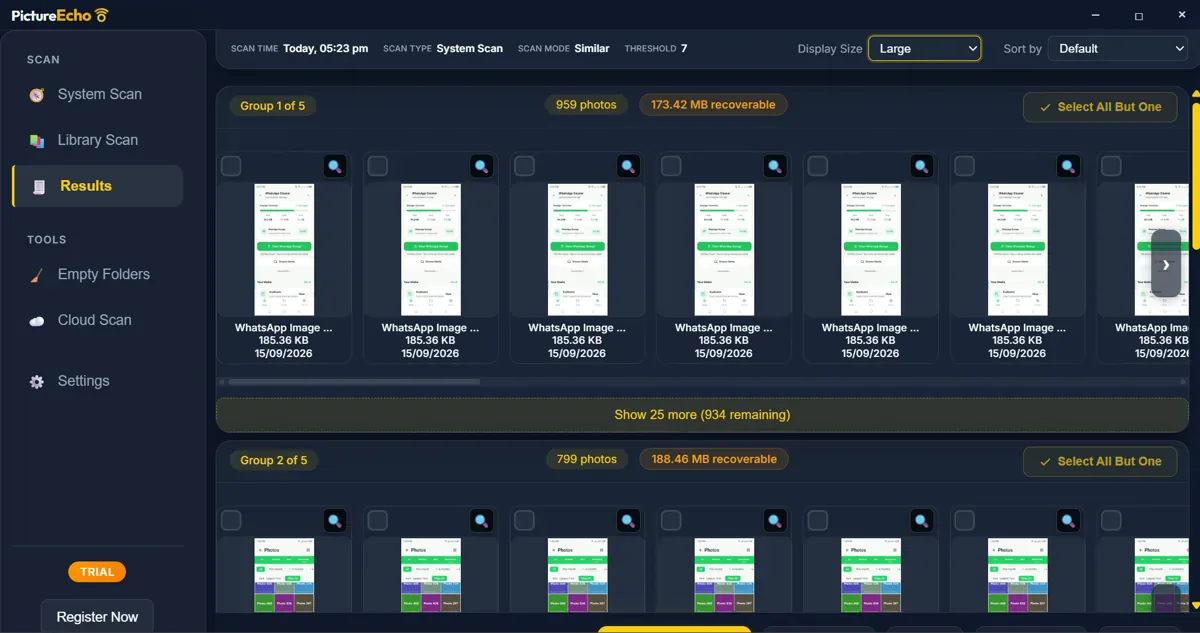
Choose which duplicate photo to keep
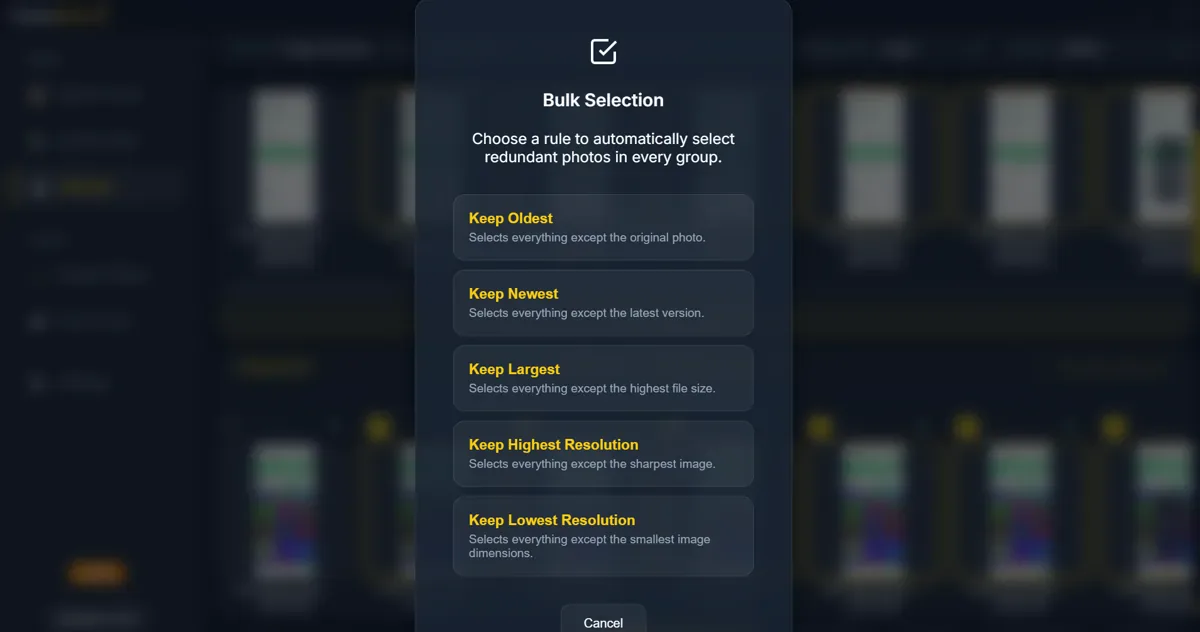
The decision is which copy stays. Select Duplicates opens a rule that marks the extras in every group and leaves one photo unselected. Keep Oldest leaves the original photo, and Keep Newest leaves the latest version. When both pictures have a date taken, those two rules follow that date. Keep Largest leaves the biggest file. Keep Highest Resolution leaves the sharpest image, and Keep Lowest Resolution leaves the one with the smallest dimensions.
The slider runs from 1 to 13, and 9 is marked Recommended. A higher value finds more lookalikes, including photos that only vaguely match, so look through a group before one rule selects across all of them. The scan in the screenshot used a stricter setting than that default.
Send the extras somewhere you can get them back
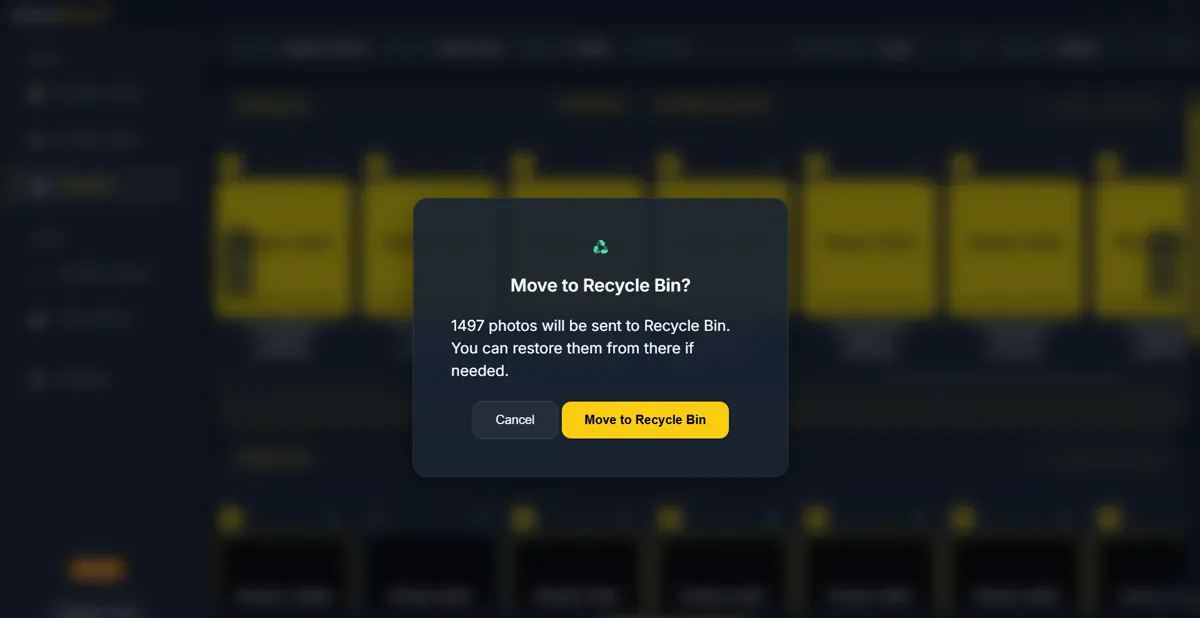
Recycle Bin is the choice that still lets you change your mind. The confirmation says the selected photos will be sent there and that you can restore them if needed. Move keeps the files on the disk too, in a folder you pick.
Permanent delete removes the photos from the disk. That dialog says this cannot be undone.
A few copies in one folder can be sorted by date or size in File Explorer, so you can pick the keeper by eye. A camera roll is a larger job: the similar pictures have to be grouped first, and then the same choice applies.
Common questions
What if the highest-resolution rule is wrong for a RAW file?
Keep Highest Resolution follows the sharpest image it can measure, and RAW previews can be imperfect. File size is often a better hint for those files, which is what Keep Largest uses.
Does the same choice work for exact copies?
Yes. Exact mode groups the copies PictureEcho treats as exact, and the same keep rules apply. Similar mode is the pass for bursts, resizes, and edits.
How many groups can the trial clean up?
The trial removes duplicate photos from 10 groups, not 10 photos. After some groups are already done, the dialog tells you how many more you can select before the rest needs a license.
What about photos that are only in OneDrive?
Files that were never downloaded are skipped. Download them and scan the folder again, or use Cloud Duplicate Finder for photos that stay in Google Drive or OneDrive.