
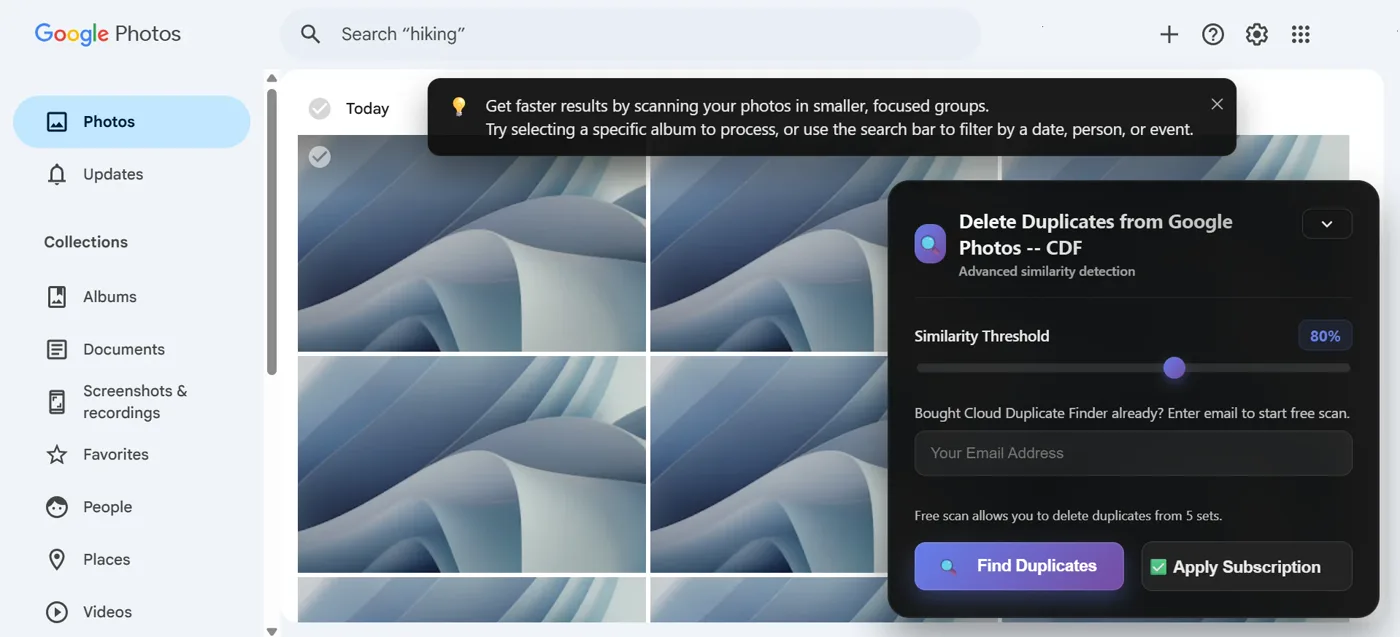
Google Photos does not offer a library-wide duplicate finder on the website. Open the album you want, or a search for a date, a person, or a trip. That page is the set you can clean. Delete Duplicates from Google Photos — CDF reads that view in Chrome, groups the copies, and leaves Move to trash to you.
Open the album before you scan
Find Duplicates scrolls the photos on the page you have open. It does not walk every item in the library. A smaller album, or a search filtered by a date, a person, or an event, is the scan the panel recommends. The groups stay small enough to review.
The phone app can stack recent similar shots. Those stacks are not this website scan, and they do not cover copies that were uploaded years apart into an old album.
Choose what stays in each group
The similarity slider starts at 80 percent and runs from 50 to 100. Moving it can regroup the sets. Keep Best, Keep Newest, Keep Oldest, Keep Low Resolution, and Keep High Resolution mark which item to hold. Keep Best is a suggestion. It is not a promise that the marked photo is the one you want. Change a Delete box when the suggestion is wrong.
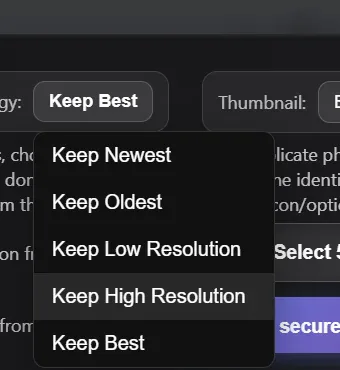
The free trial lets you select from up to 5 sets, one time. Selecting more sets needs an active Cloud Duplicate Finder subscription. A video in the same view can be grouped when its tile can be read. The comparison uses that video’s poster, not every frame.
You still click Move to trash
Proceed for Deletion selects the extras on the Google Photos grid. Leave that screen open until the selection finishes. Then use the trash icon, or More and Move to trash, in Google Photos. The extension does not delete the photos itself.

After the move, Google Photos can leave Undo on the screen. Emptying Trash is a later step in Google Photos, not a button in the extension.
Common questions
Does this scan the whole Google Photos library?
No. It reads the album or search you have open. Photos that never appeared in that view are not in the scan.
Does it also clean Google Drive?
No. Drive is a different library. This extension works on photos.google.com.
How many sets can the free trial select?
Up to 5 sets, one time. More sets need an active Cloud Duplicate Finder subscription, at the price shown on that order page.