
The filename on a screenshot is the date you saved it, and the Screenshots album is that same list. A word you remember from the screen does not take you there. KeePix reads the words visible in photos on the phone, and a screenshot is one of those photos. Type the word, read the short snippet under each result, and open the shot you need.
The Screenshots album is only a date list
Open Screenshots and you are scrolling by day. The album does not read a word that was on the screen, such as an order number, a gate code, or the name of a shop. When you remember the day, that scroll is enough. When you remember the word and not the day, the list has nothing to match.
If the screenshot was backed up, Google Photos can look for that word when you put it in quotation marks. A shot that never uploaded is missing from that search, even while it is still in the gallery.
Type the word you remember
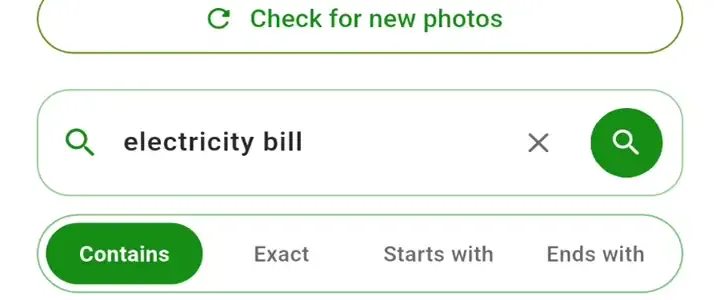
The field says “Search words in your photos.” Contains is the usual choice, because the letters can sit inside a longer word. Exact asks for the whole recognized word. Starts with and Ends with pin the query to one end of that word. A phrase in double quotes has to appear in that order.
There is no switch that limits the search to Screenshots. A photographed sign or a receipt with the same word can appear beside the screenshot, which is why the snippet under the thumbnail matters before you open it. KeePix does not draw a box on the photo. The list on screen stops at 60 matches.
Photos already read can be searched while the rest of the gallery is still being read. Pause stops that reading, and the phone can continue it in the background. Check for new photos picks up screenshots saved later. A screenshot left out when photo access was granted never enters the search.
Open the shot, or move it out of the date pile
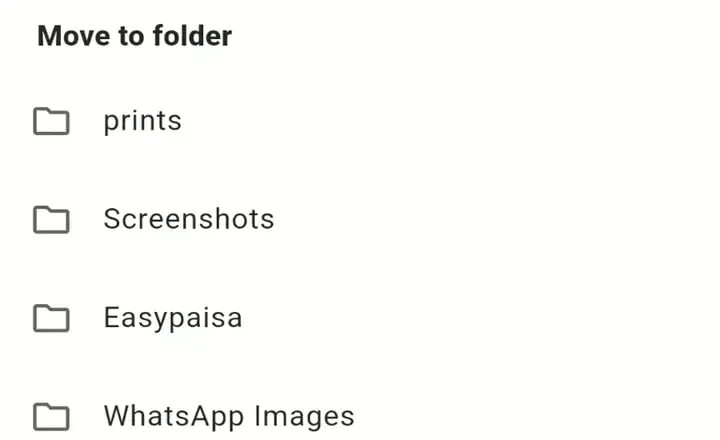
Open the result to pinch-zoom, or use Enlarge / Fit. Share opens the Android share sheet. Move sends that one photo to another gallery folder, so the screenshot can sit with the trip or the order it belongs to instead of staying in the date list. Nothing on this screen deletes the photo.
Clear search index removes the saved reading and leaves the screenshots in the gallery. Search stays empty until those photos are read again.
Common questions
What if the screenshot was never backed up?
The reading happens on the phone. Google Photos, Drive, and other cloud libraries are not part of this search. Photo access is still required, and photos excluded from that permission stay invisible.
Can it find a PDF I downloaded?
No. Document files and videos are left alone. A screenshot of a document can match, because that screenshot is a photo.
Does KeePix charge to search?
Reading and search are available without a subscription. The free app can show ads. KeePix Pro is a yearly subscription that removes the ads, at the price Google Play shows. It does not unlock search.